
From a simplicity and usability standpoint, Software as a Service (SaaS) apps have a lot going for them. They’re typically much easier to use and manage because businesses that use SaaS don’t have to install the apps or maintain the infrastructure that hosts them. They outsource that work to a SaaS vendor.
From the perspective of security, however, SaaS apps pose some unique challenges. In certain ways, it’s harder to protect and secure software that organizations don’t manage themselves.
For this reason – combined with the fact that about three-quarters of business apps now operate on a SaaS model – SaaS security posture management is critical for the typical organization today. To take full advantage of the convenience that SaaS offers without letting SaaS apps become the softest part of their attack surface, businesses must deploy processes and tools capable of addressing the special security risks that SaaS apps and resources present.
Read on for guidance as we detail those risks and explain how to secure SaaS effectively in modern environments.
This is part of a series of articles about application security.
What is SaaS security?
SaaS security is the practice of protecting applications and resources deployed using the Software as a Service (SaaS) architecture.
SaaS is an approach to software deployment in which an application vendor hosts software on its own servers and allows customers to connect to it from remote locations. This is convenient for customers, as we mentioned, since they don’t have to worry about installing and managing SaaS apps themselves. They can just log in.
However, SaaS also presents special security challenges. We detail them below, but at a high level, suffice it to say that when an app resides in a third-party environment, the organization that uses the app has a lower ability to mitigate security risks. It can’t do things like access the application hosting infrastructure, scan for vulnerabilities, or install patches; only the SaaS vendor can do those things. In addition, using SaaS apps often means transferring sensitive data to third-party infrastructure, which may also lead to security risks and compliance challenges.
SaaS security addresses these challenges by providing actionable ways for businesses that use SaaS to minimize security exposures, even when they use software that they don’t control themselves.

Operationalizing CTEM Through External Exposure Management
CTEM breaks when it turns into vulnerability chasing. Too many issues, weak proof, and constant escalation…
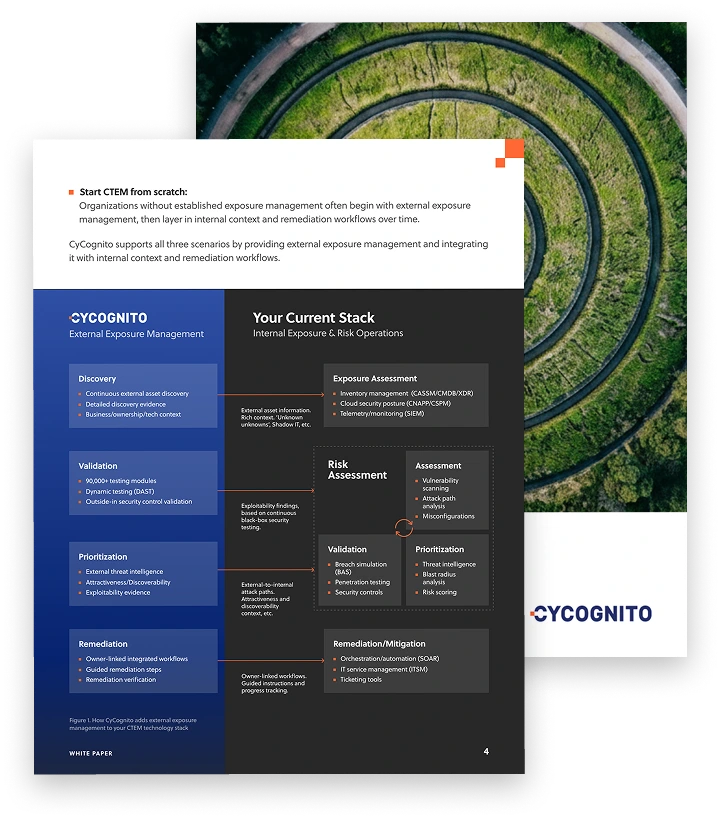
This whitepaper offers a practical starting point for operationalizing CTEM, covering what to measure, where to start, and what “good” looks like across the core steps.
Why SaaS security matters
SaaS security is vital because SaaS has become the go-to approach for deploying software today. As noted above, around 75 percent of business apps now operate using a SaaS model – and yet, traditional security tools and processes fall short in many ways when it comes to securing SaaS.
For instance, conventional vulnerability scanning tools won’t work with third-party SaaS apps because they require access to application source code and/or binaries. Under a SaaS model, businesses that use SaaS apps don’t have access to the apps’ code or executable files; they can only connect to the apps as end-users. Similarly, data discovery software, which can scan the environment for sensitive information to identify data security risks, usually relies on insider access to hosting environments, which organizations lack in the case of SaaS.
Other types of security scanners – like Dynamic Application Security Testing (DAST) tools, which test live applications for risks by simulating attacks – may technically work with third-party SaaS apps. But SaaS vendors rarely grant permission to their customers to carry out their own security tests against SaaS apps – and if you tried to run DAST tests against a SaaS app you don’t own, chances are that the vendor would block you very quickly, preventing further testing.
In short, conventional security solutions are a poor fit for SaaS security needs. This makes SaaS security its own, unique discipline, characterized by specialized tools and techniques that circumvent the architectural limitations of the SaaS model.
Who is responsible for SaaS security?
Because SaaS users have little, if any, control over or access to SaaS apps, SaaS security hinges on a type of shared responsibility model. This means that SaaS vendors are responsible for managing the security risks that only they can address, such as installing software patches.
For their part, SaaS customers should take reasonable steps to mitigate risks that they have influence over, such as:
- Managing user access controls and permissions that define who within the organization can do what inside SaaS apps.
- The uploading of sensitive data to third-party SaaS apps.
- Unauthorized use of SaaS applications by employees within an organization.
- Insecure integrations between SaaS apps and other apps or resources (which may be risky because the integrations could become vectors for sensitive data to flow into SaaS apps).
To put it another way, just because a business uses SaaS apps doesn’t mean that it can take a hands-off approach to securing them. While responsibility for many core security functions lies with the SaaS vendor, businesses must also do what is within their means to mitigate SaaS risks. Not only is this important for the purposes of enhancing overall SaaS security posture management (SSPM), but it is also increasingly important from a compliance perspective, since many regulatory frameworks now include provisions related to controlling how sensitive data is shared with third parties, including SaaS vendors.
Tips from the Expert

Dima Potekhin, CTO and Co-Founder of CyCognito, is an expert in mass-scale data analysis and security. He is an autodidact who has been coding since the age of nine and holds four patents that include processes for large content delivery networks (CDNs) and internet-scale infrastructure.
SaaS is easy for IT teams to love until they experience a breach. Minimize that risk by using SaaS security strategies like the following:
- Vet SaaS vendors: Before approving the use of a SaaS app, organizations should research the vendor and assess its security track record. Vendors with a history of breaches due to failure to manage vulnerabilities effectively may not be worth the risk they present. Frameworks like ISO 27001 include formal guidance on how to vet software vendors from a security perspective.
- Avoid extraneous SaaS features: The more features and functionality that businesses enable within SaaS environments, the higher their risk of a breach. Avoid turning on features or enabling add-ons that aren’t necessary.
- Educate users: Non-technical employees often don’t understand the risks of using untrusted SaaS apps – and you can’t really blame them for not resisting the temptation to log into unauthorized apps, given how easy it is to connect to most SaaS resources. For this reason, it’s wise to include education about SaaS security risks, especially the dangers of shadow SaaS, in user cybersecurity training.
- Centralize identity management: The more unified an organization’s approach to managing user identities and permissions, the lower the chances of accidentally over-permissioning a SaaS account or forgetting to revoke a user’s privileges during offboarding.
Top SaaS security risks and threats
Specific SaaS security risks come in multiple forms. Here’s a look at the most common security challenges associated with third-party SaaS apps.
Accidental data exposure
Accidental data exposure can occur through SaaS apps when users generate or upload sensitive data and store it in an insecure way.
For example, an employee could use a SaaS app to track customer names and addresses, but configure access policies for the data such that any other employee within the company can access the information. This would be insecure in most cases because typically, sensitive information like customer identities should only be accessible to authorized personnel.
Account compromise
Account compromise in SaaS apps happens when malicious actors manage to log in to a SaaS app as a way of impersonating legitimate users. Often, they gain access credentials through a social engineering attack, such as contacting employees and claiming that they are from the IT department and need to know the users’ login information. It’s also sometimes possible for attackers to reset users’ passwords via the “forgot password” functionality in SaaS apps.
Once they compromise a SaaS app account, attackers can access any resources available to the users whose login information they’ve stolen.
Excess privileges
In the context of SaaS security, excess privileges are access permissions that a user receives but should not have. For instance, if a junior finance employee is granted the same permissions as the company’s CFO, this would likely be a case of excess privileges. As a best practice, each user should receive the minimum privileges necessary to perform his or her job.
A common cause of excess privileges in SaaS is that it can become a challenge to manage user identities and permissions for each of the dozens or hundreds of SaaS apps that a company uses, so businesses default to broad access policies that grant everyone a high level of access.
Malicious insiders
Malicious insiders are users who have access to a business’s internal resources, including SaaS apps it uses, and who seek to cause harm. While malicious insider threats are not unique to SaaS apps, finding and blocking them can be particularly challenging in the context of SaaS resources that a business doesn’t directly control. Here again, the sheer breadth of the typical enterprise’s SaaS portfolio can make it challenging to turn off a malicious insider’s access in each SaaS app, one by one.
Incomplete offboarding
Incomplete offboarding means failing to revoke the access privileges of a former employee or other user when he or she departs the organization or changes roles. This is another example of a type of risk that can be particularly challenging to manage in the context of SaaS, due to the need to modify permissions across a large portfolio of SaaS apps.
Shadow SaaS
Shadow SaaS occurs when employees deploy SaaS applications without their company’s knowledge or approval. When they do this, they may upload sensitive business data to the app without understanding the security implications – and because the SaaS app is not being monitored, the organization may not be able to detect which data is flowing into it.
SaaS security vs. application security
Traditional techniques related to securing applications fall under the header of application security (AppSec). These center on practices like finding and fixing vulnerabilities within source code and protecting applications against network-borne threats.
As we’ve mentioned, SaaS customers can’t do these things because they don’t have access to SaaS application hosting environments, hence why SaaS security is a distinct discipline.
Application security is relevant for SaaS in the sense that the security practices SaaS vendors follow fall under the header of AppSec, since the vendors have to mitigate many risks within applications. But for SaaS customers, traditional AppSec components don’t apply.
The role of SaaS security in cloud security
SaaS security is a component of cloud security because SaaS apps are hosted in the cloud; thus, securing SaaS apps is important for establishing a strong overall cloud security posture.
That said, cloud security involves much more than just SaaS security. It also extends to areas like:
- Ensuring that cloud identity and access management (IAM) policies are properly defined to mitigate risks.
- Restricting access to sensitive data stored in cloud databases, object storage systems, and other storage resources.
- Managing cloud firewalls to block malicious traffic.
So, think of securing SaaS apps as a step toward cloud security, but understand that cloud security requires additional protections beyond SaaS security.
Types of SaaS security tools
As we’ve said, managing the unique needs of SaaS security requires unique tools that extend beyond those found in a traditional application security portfolio. Key types of SaaS security solutions include:
- SaaS security posture management (SSPM): This category of tools helps manage configurations in SaaS apps to ensure that proper access policies and permissions settings are in place.
- Cloud access security brokers (CASB): CASB tools operate as intermediaries between third-party network-based applications and users. From this vantage point, they can identify and block risky activity, like attempts to upload sensitive data to an inappropriate SaaS app. CASBs can also help to detect connections to unauthorized apps as a way of mitigating shadow SaaS risks.
- SaaS-to-SaaS risk management: This category includes tools that monitor integrations and connections between SaaS apps. Their main focus is on preventing scenarios where data moves from a SaaS app where it is secure into one where it shouldn’t exist or is not properly locked down.
- Data loss prevention (DLP): DLP tools scan environments for data protection and management risks. Although they can’t directly connect to SaaS hosting environments, they can bolster SaaS security by monitoring for the transfer of sensitive information over the network. Some can also check browsers or endpoint devices for sensitive data and flag it before users share it with untrusted SaaS apps.
- System for Cross-domain Identity Management (SCIM): SCIM is a standard that organizations can use to help unify and centralize the management of user identities and privileges across disparate SaaS apps, as well as other systems. It makes it more efficient to apply consistent permissions for each user, as well as to change or revoke permissions quickly, no matter how many SaaS apps a business uses.
Best practices for securing SaaS
Despite not being able to do much from the “server side” to secure SaaS, businesses that depend on SaaS apps can take actionable steps to minimize the risks associated with them. Key best practices include:
- Maintain a SaaS app inventory: Tracking which SaaS apps and resources an organization uses is critical for ensuring SaaS security. You can’t protect what you can’t see, and unlike software hosted locally, SaaS apps can’t always be detected through a simple automated scanning process.
- Enforce MFA: Most SaaS apps now support multi-factor authentication (MFA), although not all turn it on by default. Requiring MFA is a key step toward SaaS security because it helps mitigate account takeover risks by making it harder for attackers to log in, even if they manage to steal a user’s login name and password.
- Automate user identity and access management: Automating the management of user identities and privileges helps to ensure consistency and prevent oversights that could lead to SaaS security gaps, such as over-permissioned users. They also minimize the risk of delays when offboarding users.
- Monitor the network: Anomalous network activity linked to SaaS apps, such as a high volume of data suddenly being uploaded to a particular SaaS resource, could be a sign of a risk. Continuous monitoring of the network for activity like this helps clue security teams early on into potential SaaS data breaches.
SaaS security with CyCognito
SaaS adoption expands your attack surface faster than most organizations can track. Every new app, integration, and SSO connection becomes another internet-facing asset, and the ones you didn’t formally approve are the ones most likely to be exploited. CyCognito is a leading exposure management platform that continuously discovers and validates your full external footprint, including the SaaS-adjacent infrastructure attackers actually target, starting from nothing more than your organization’s name.
- Discovers internet-facing assets tied to your SaaS estate, including subdomains, SSO endpoints, shadow SaaS deployments, and inherited third-party exposure, without seeds or prior inventories
- Identifies misconfigurations, exposed services, expired certificates, and authentication weaknesses on every discovered asset through continuous active testing
- Validates exploitability with 100,000+ active security tests across 35+ threat categories, reducing critical findings from 25% of identified issues to the 0.1% confirmed as actually exploitable
- Maps each finding to its business owner and attack path, so SaaS-related exposures route to the right team with the evidence needed to act
- Tracks every finding from discovery through verified fix, closing the loop between what is found and what is actually resolved
CyCognito typically uncovers an attack surface up to 20x larger than previously known, and in SaaS-heavy environments most of that growth comes from forgotten integrations, abandoned tenants, and third-party assets the security team never knew existed.
If you want to see CyCognito in action, click here to schedule a 1:1 demo.
Frequently asked questions about SaaS security
How can automated security testing help protect SaaS environments?
Automated testing tools like SAST and DAST catch vulnerabilities in application code before deployment, which matters most for the custom apps and integrations that connect to your SaaS stack. SAST analyzes source code for security flaws, while DAST tests running applications by simulating real attacks. Combined, they shrink the window between a vulnerability being introduced and being caught, before attackers find it first.
Why should organizations run security assessments before onboarding a SaaS vendor?
A pre-onboarding security assessment gives you evidence that a vendor actually meets the standards they claim to meet. It verifies compliance with frameworks like ISO 27001, SOC 2, and HIPAA, and it surfaces gaps in the vendor’s own security posture before your data ends up in their environment. Skipping this step means inheriting whatever risk the vendor carries, often without knowing it.
Which compliance frameworks apply to SaaS security?
SaaS applications frequently fall under regulations like GDPR, SOC 2, and HIPAA, depending on the data they handle and where customers are located. Organizations that fail to meet these requirements face significant financial penalties, legal liability, and reputational damage. SaaS security programs need to include ongoing compliance monitoring, not just a one-time audit, because regulatory expectations and vendor configurations both shift over time.
What are the most common SaaS security risks?
The top risks are data breaches, misconfigurations, and insecure third-party integrations. Misconfigurations are particularly common because SaaS platforms are highly customizable, and security settings often get loosened during rollout and never tightened back. Third-party integrations are equally dangerous: they create a web of trusted connections between SaaS apps, and that web has become a primary entry point for modern supply chain attacks.